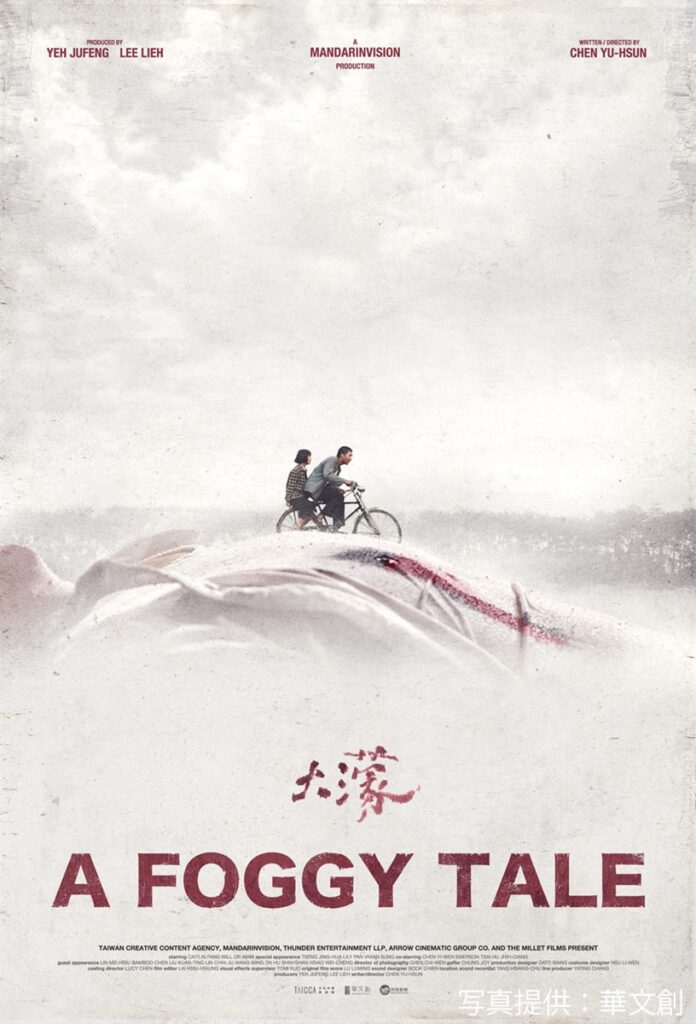
A Foggy Tale – 大濛
白色恐怖這個詞,是一個挺共的詞彙。來源於蘇聯的紅軍和白軍。
是的沒錯,共產黨在歷史上是代表進步的那一方,但這一部電影並沒有討論過多政治問題。
Miley 說 Ta bong 是台語的落霧,對於久居霧都的我來說並不陌生。
導演要表達的意思在最後阿霞講故事的時候已經很清晰,這部電影講的是在歷史中想要改變歷史但是卻沒有改變而自己就已然消失的那些人。
就像翁山蘇姬那許許多多平凡而默默無聞只是做了和她一樣的事情就被軍政府屠殺的異議人士,今天我們可以說她是得益於她將軍女兒的身份才沒有被殺,也可以說她用這個身份做了很多人做不到的事情。
上面這一段是想說,相同的故事在每個國家都有,在台灣發生的事情並不是獨一無二,但對於個體來說,親人都是獨一無二的。
就像我很多次講,這個世界不會總是進步,他可能會停滯,還可能會倒退。
對於日治台灣人來說的外來國民黨政權,台灣人當然會有困惑,因為對於他們來說,這個社會沒有前進,反而在倒退,在尋求答案的時候,台灣獨立會成為自然的想法而當年的中共則是完全支持這一想法,從公開的文件可以看到,從1940~1947年中共篡位以前,他們一直在支持台灣人民自決和獨立,這也無怪乎當時的台灣年輕人會被共產黨所吸引,雖然電影的年代是在1953年。
所以,這是一個平凡人的故事,並沒有什麼特別的驚心動魄,也沒有什麼慷慨激昂,只有默默的隨波逐流和逆來順受,影片的最後畫蛇添足,應該是大約到阿月抱著哥哥的骨灰罈,跟著達官貴人的出殯隊伍,就是一個完美的結局。
每每講到老兵,大概就要講到我曾經有一個阿祖,當年跟著國民黨軍隊來了台灣,多年後回到小山村,什麼人都不認識,雖然他的輩份很大,但他的年紀跟我的奶奶差不多,只憑著我奶奶小時候的一個現在已經沒有在用的名字,就找到了老家和他那房親人的後代,但他相同輩份的人都已經不在人世。
他回來的時候已經快要八十歲,但是身體很好,很有錢,給每家後人都送金項鏈,金戒指,還給每家後人一筆錢做生意,但那些錢後來聽我媽說都被他那房的後人都要回去了。再後來我媽說他那房親人的後代對他並不好,但我那時還小,只見過他幾次,吃了一些他從台灣帶回的葡萄乾,沒有特別的印象,但那是我第一次吃到美國提子做的葡萄乾,和新疆的葡萄乾有很大的區別,只有葡萄乾給我留下了深刻的印象。
後來就只有大姥幺姥時不時的提起有時候進山裡去看他的時候,他動不動就把反攻大陸,殺朱拔毛掛在嘴邊,姥姥們總會作勢要去捂住他的嘴讓他不要再說。
直到我媽也去世,收拾我爸的東西,發現阿祖曾經從台灣寄回來的一封信件,漢字竪排,看起來字還寫得很好,大抵是講賣掉了台南的果園,要回小山村定居。
我這個阿祖也是一個平凡老兵的故事,平凡到我都沒有想過要不要去台南找一下那個果園,沒有想過他在正當壯年的時候是不是參與了二二八屠殺,或是他也曾經抓捕甚至槍殺過台灣人。
但一切都不可考,我連他的名字都記不住,可能要回家去翻一翻爸媽留下的筆記,才會有名字。