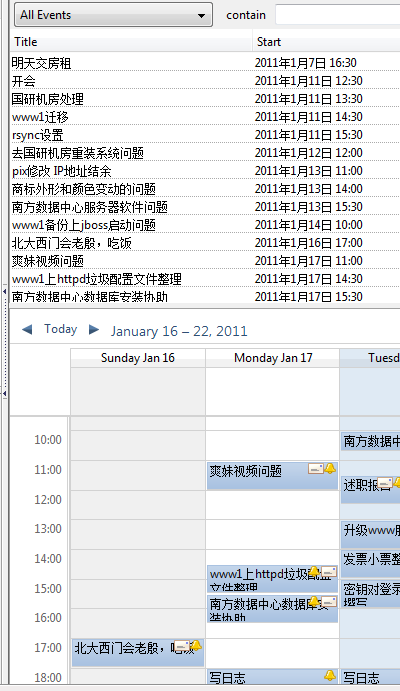
合理安排日程是一个很重要的事情,特别是当事情比较多的时候,排出一个轻重缓急,很有必要。
一直以来使用Outlook做日程安排,因为方便同步到手机上,但每次都要使用数据线,还是没有Over The Air方便,后来Gmail推出了Google sync,支持部分Microsoft Exchange同步,于是把日程安排切换到Google calendar,然后我发现,直接使用Outlook同步到Gmail是需要付钱的(企业应用套件),靠!根据我英明的估计,这应该是Google付给微软的Exchange协议授权费,于是我抛弃了Outlook,开始使用云端的Google calendar,然后我发现,这个浏览器程序还是木有本地客户端好用,然后我搜了一下,发现一些使用Thunderbird和Sunbird的案例,再然后我发现,在中国的互联网上,天下文章一大抄,抄来抄去,其实都是错的,还浑浑噩噩而不自知,联想到我昨天看的一篇评论文章,严复的那句话实在是,不能再恰如其分了,“华风之弊,八字尽之,始于作伪,终于无耻。”当然,在这个什么事情都可能发生的神奇国度,作伪和无耻,又实在是算不得什么大事。
不要相信互联网上查到的那些关于Sunbird和Google calendar同步的中文资料,那是错的。
关于Sunbird和Google calendar同步,Google官方早已给出说明,参看此链接,实际上,对于Apple设备的iCal协议也有支持。
—无耻的分隔线—
To set up CalDAV support for Google Calendar in Mozilla Sunbird, follow these steps:
1,Open the Sunbird application and select File > New Calendar.
2,Select On the Network and click Next.
3,Select the CalDAV format option.
4,In the Location field, enter [https://www.google.com/calendar/dav/youremailname@gmail.com/events ] and click Next.
Your Google Calendar ID for your primary calendar is just your email address, but for all other calendars the Calendar ID will be in the form of [ long string of characters]@group.calendar.google.com. You can get the Calendar ID by clicking the down arrow next to your calendar at calendar.google.com and selecting ‘Calendar Settings’.
Be sure to use https in your URL, as an http address will not work.
5,Enter a name and select a color for your calendar.
6,In the pop-up screen, enter the following information:
Username: This is the complete email address you use with Google Calendar (including the part after the @ sign). If you’re using Google Apps, be sure to enter your Google Apps email address. Password: This is the password you use to sign in to Google Calendar
7,Click OK.
—再次无耻的分隔线—
关于Sunbird的使用,这里就不多说了,跟Outlook里面差不多。